Introducing Scroll Hope: a Bible verse feed for your phone
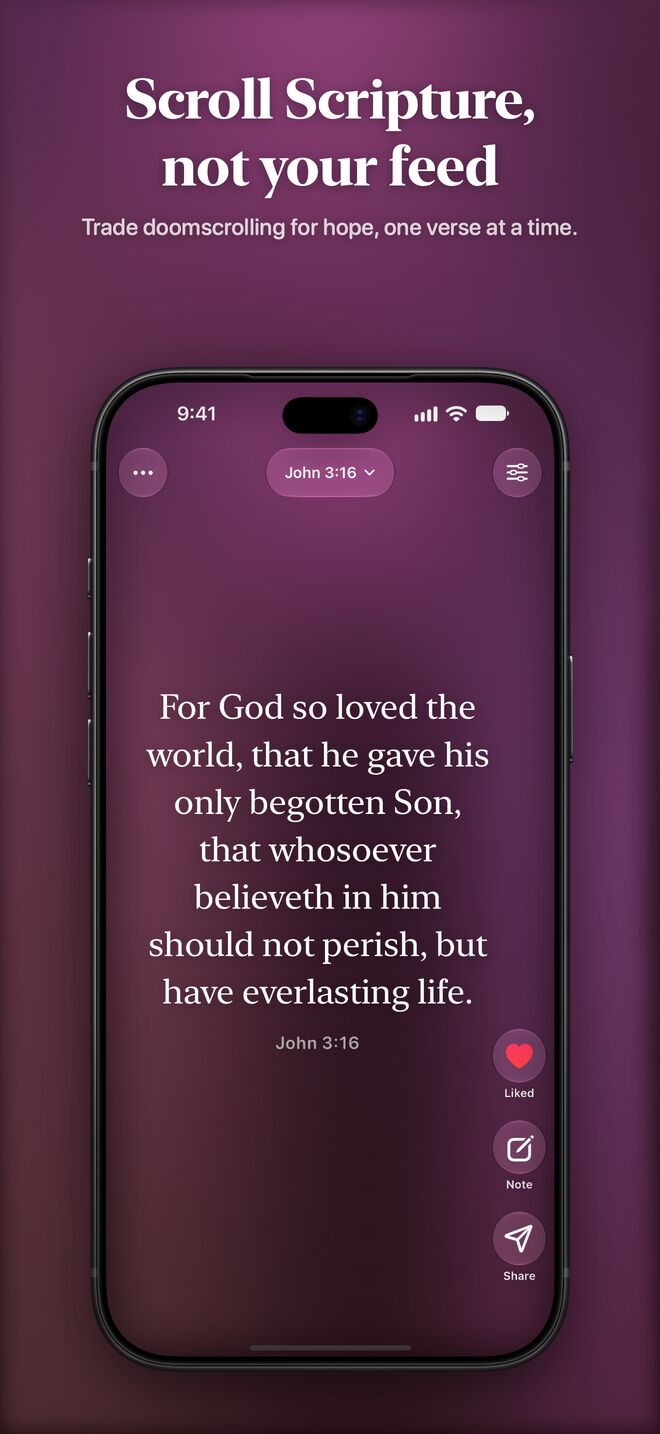
Most of us pick up our phones dozens of times a day and scroll without thinking. Scroll Hope keeps that same easy swipe and fills it with Scripture instead: one Bible verse per screen, full size, over a slow, calm background. It's free on the App Store for iPhone and iPad today.
The whole Bible, one verse at a time
Open the app and you're reading. Swipe up for the next verse, the way you would in any feed, and keep going through the whole Bible. Every verse gets the whole screen in a serif font, so short verses feel weighty and long ones stay easy to read. Double-tap to like a verse, add a note, and come back later to everything you've saved.
By default, the feed opens on something new each time. If you'd rather read straight through, switch Open To to Where I Left Off in Settings.
Animated backgrounds that breathe
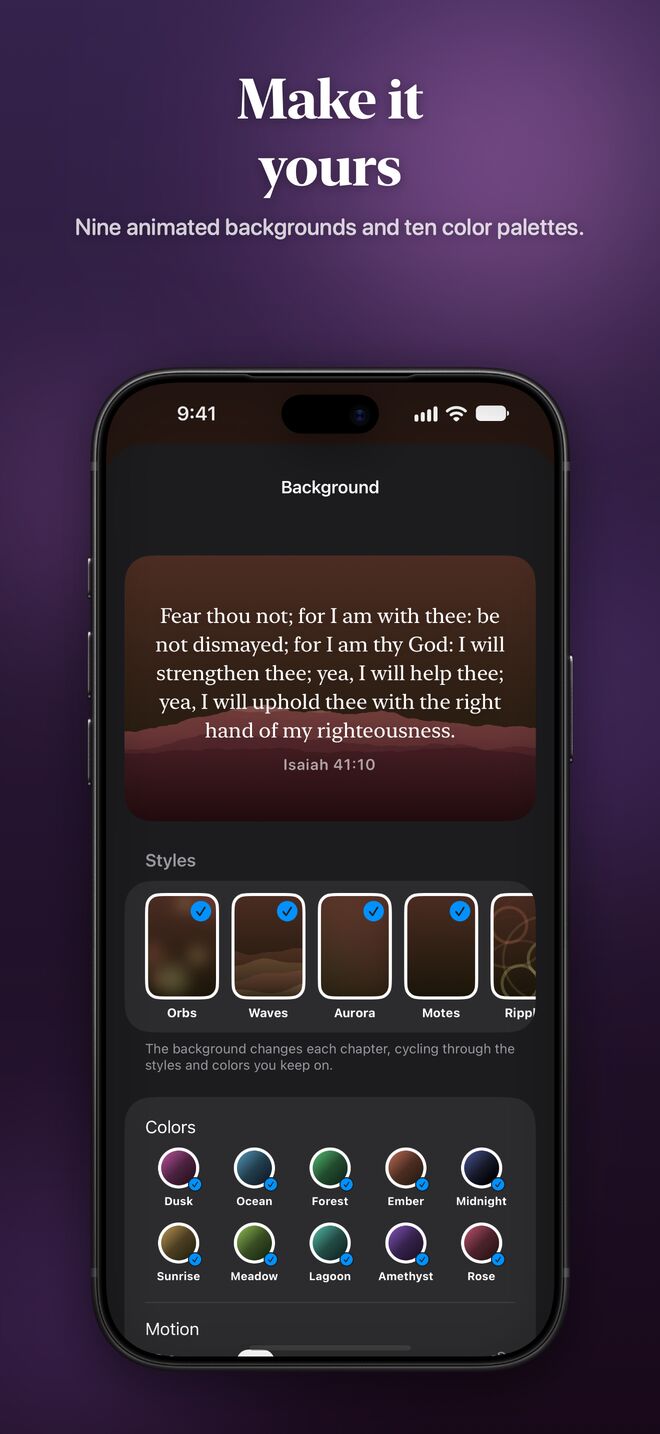
Behind every verse is a slow, moving background: orbs, waves, aurora, drifting motes, ripples, a glowing cross, and quiet mountain and forest scenes. There are nine styles and ten color palettes. Pick a single favorite, or choose several and let the background change as you read on.
Four Bible translations
Scroll Hope includes the King James Version (KJV), Berean Standard Bible (BSB), World English Bible (WEB), and American Standard Version (ASV), all built in and available offline. Switch translations from the ⋯ menu, and your likes and notes follow each verse across all four.
Search and the Bible index
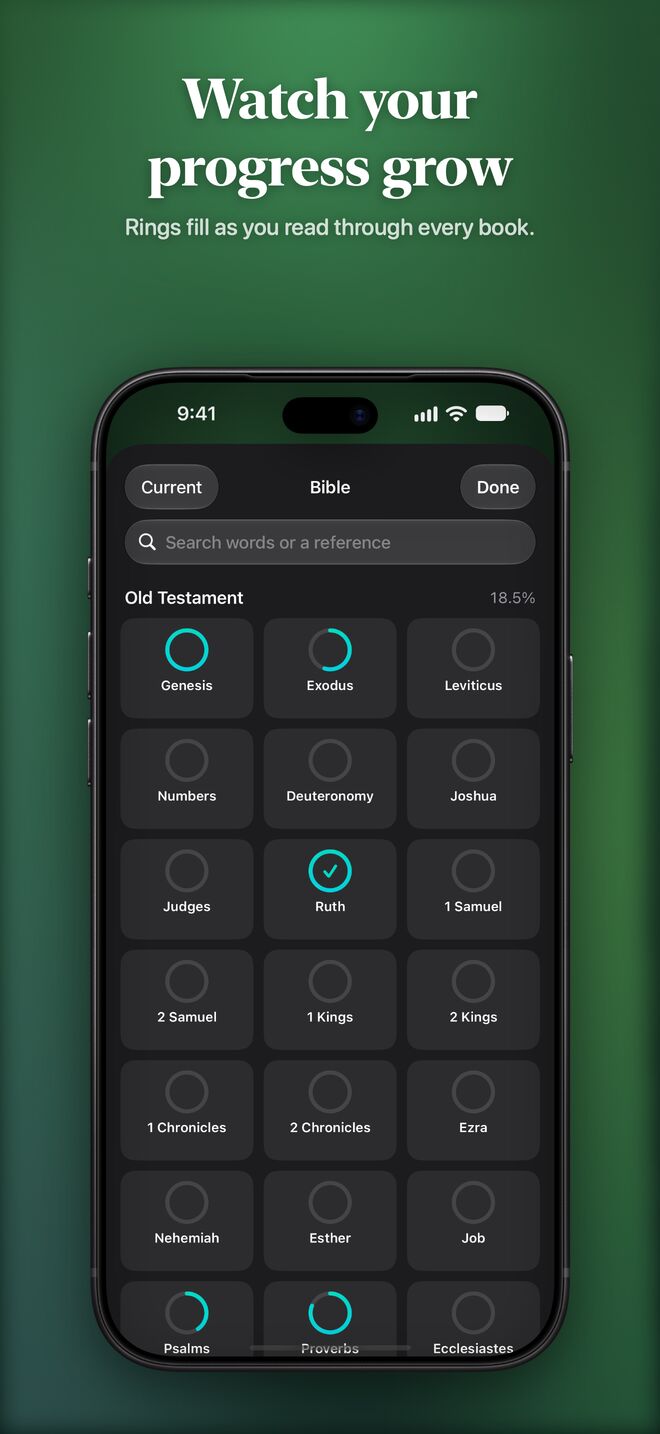
Search every word of the Bible, look up a phrase in quotes, or type a reference like “Psalm 23” or “1 Cor 13:4” to jump straight there. The index lays out every book as a card, with a ring that fills in as you read through it.
App Lock: read first, then unlock
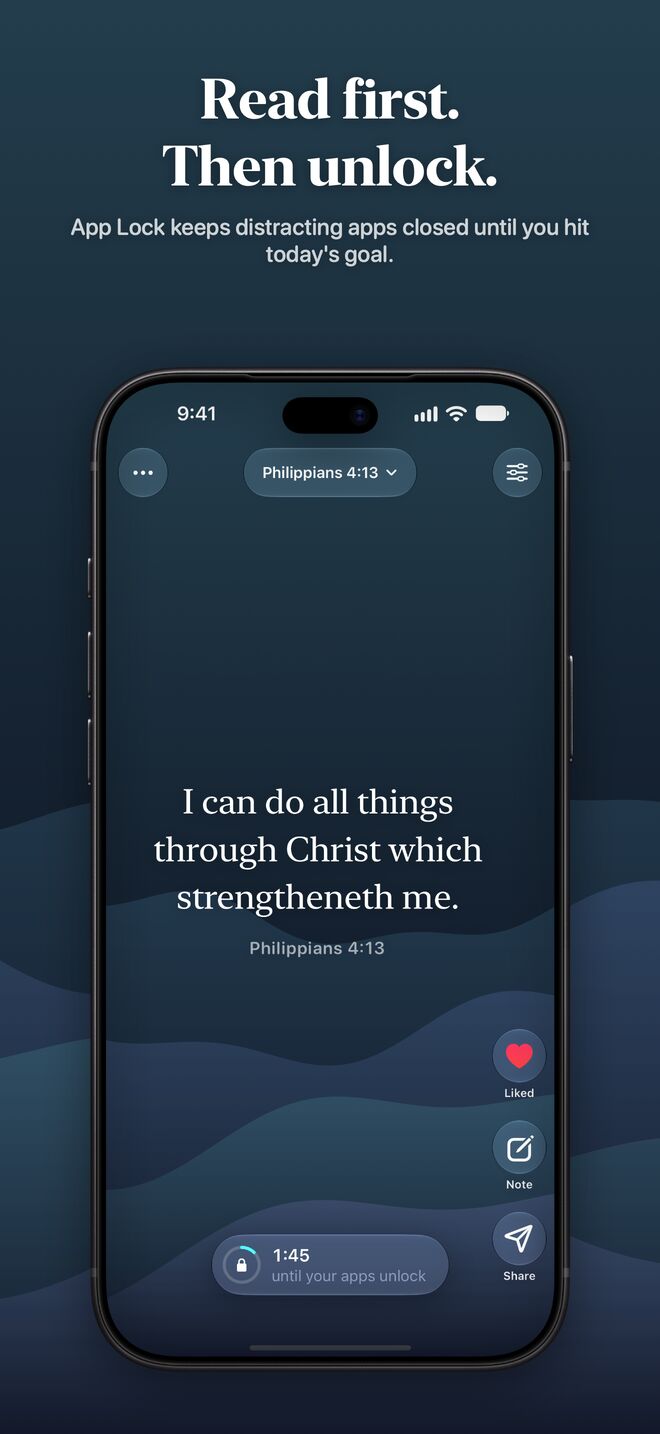
App Lock is our favorite way to replace a doomscrolling habit. Choose the apps that eat your time, set a daily goal (a couple of minutes of reading, or a number of verses), and those apps stay locked each day until you reach it in Scroll Hope. It uses Apple's Screen Time, so the apps you choose stay private to your device, and you can set when the goal resets each day.
Share verses as stories, posts, and videos
Turn any verse into a card with your background, colors, and font, and share it as an image or a short moving video. Choose the size for where it's going:
- Story for Instagram and Facebook stories
- Post and Square for your feed
- Video in 16:9
- Wallpaper sized to your phone's screen
Verse of the Day, streaks, and widgets
Turn on the Daily Verse notification for one verse each morning, the same verse everyone else is reading that day. You can also read it on the web at scrollhope.com/today. Daily streaks and reading stats keep track of the days you open your Bible. Home Screen widgets show a random verse each hour or one of your favorites, each with its own colors and appearance.
Light and dark mode, and custom icons
Scroll Hope follows your device's appearance, or you can pick Light or Dark yourself. Every background has a light version that's soft and bright for reading in the daytime. Supporters can also choose an app icon for their Home Screen, including Dusk, Dawn, Ocean, Forest, Ember, Gold, and Light.
Private, and synced with iCloud
There's no account to make and no ads. Your likes, notes, history, streaks, and stats stay on your devices and sync through your own iCloud, so your iPhone and iPad stay in step.
Free, with optional support
Everything above is free. If Scroll Hope becomes part of your day and you'd like to help keep it going, you can leave a tip in Settings. Supporters unlock the extra app icons and can remove the watermark from shared cards.
Android is on the way
An Android version is coming soon to Google Play. Until then, you can read the same feed, backgrounds, translations, search, and share cards in any browser at scrollhope.com/read, and every verse has its own link, like scrollhope.com/v/JHN.3.16.

Questions or ideas? We'd love to hear from you at support@scrollhope.com.